Today, next to last time.
Every set sits beside the same set from last time. Beat it and a green arrow appears. Adjust with the steppers and tap Log set.
- Double progression
- Target rep range
- Form notes
Plated for iPhone
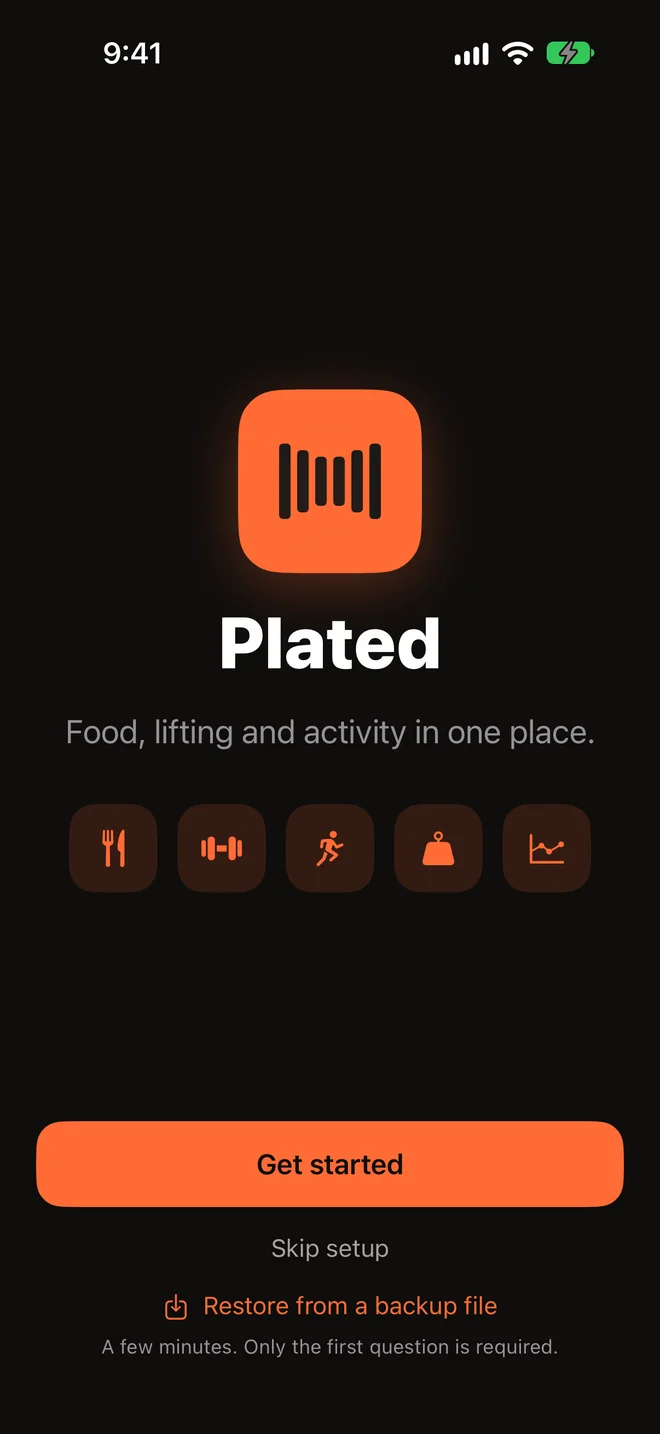
Food, lifting and activity in one app. Bring your own AI: Gemini, Claude or ChatGPT.
You train in the gym, on the wall and on the road, and you eat for all of it. Plated keeps the whole week in one place, so a hard climb shows up in your lift tips and a rest day lowers your calorie target.
Bring your own AI
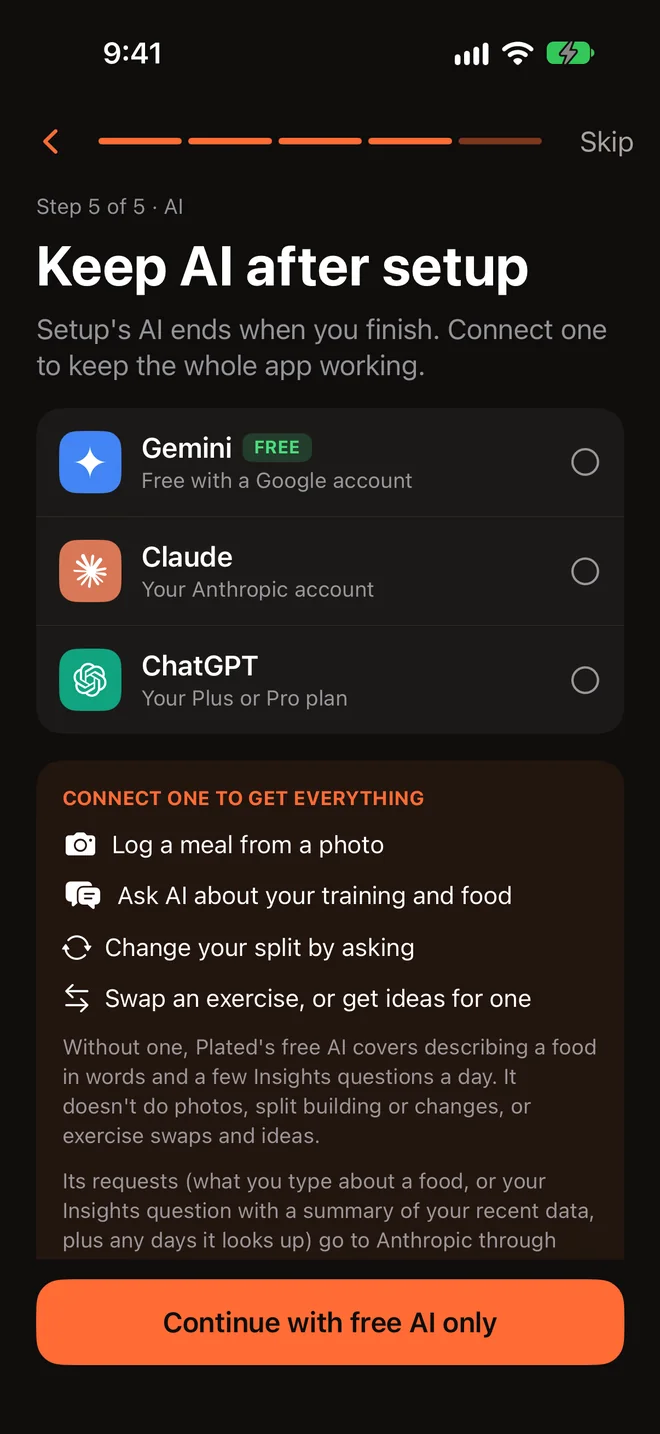
Connect Gemini, Claude or ChatGPT once. It logs meals from a sentence or a photo, answers questions about your numbers, swaps exercises and edits your split. Requests go straight from your iPhone to your provider, on your own account, at your provider’s price.
No AI account? Setup’s AI is free. After setup you can turn on a few free requests a day for describing a meal and asking about your numbers.
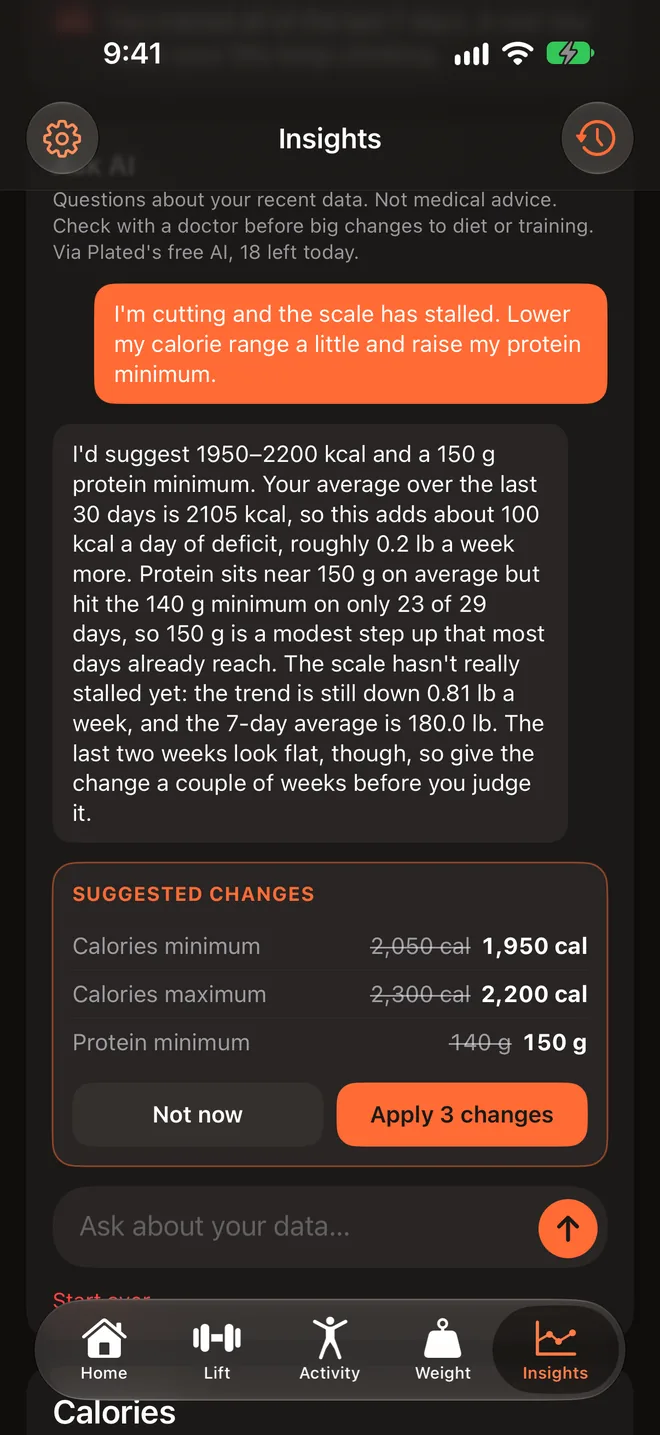
Ask AI proposes changes to targets, goals, rest timers, reminders and more. Tap Apply change, or Undo it afterward.
Type “two eggs, toast and a latte”. It finds the calories and protein, checking the USDA database as it goes.
Up to three photos and a note, with your own AI. The estimate opens in the food form so you can fix anything first.
“Why has my weight stalled?” gets an answer from your own log on Insights.
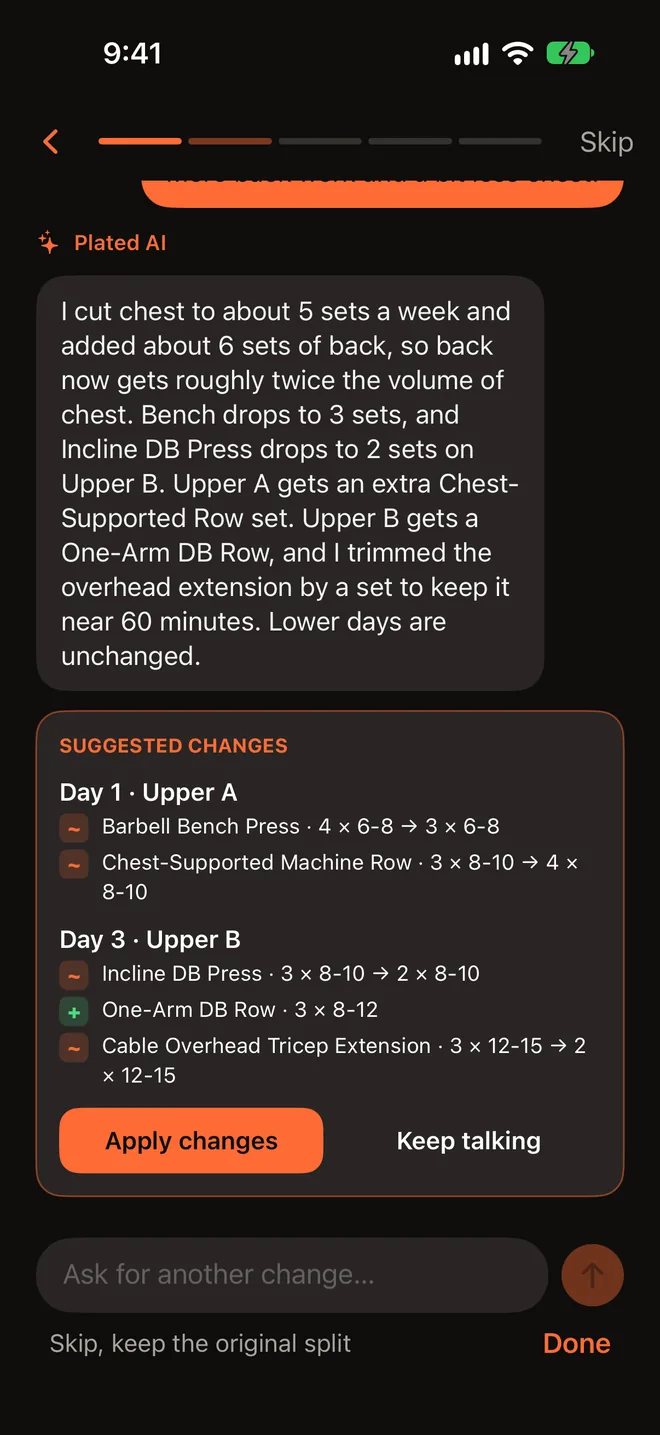
“Make this day shorter.” Every AI change is saved in your split’s version history.
Ask AI for exercise ideas for Day 1, based on your other days and your recovery.
“Ask AI about this” sits in the menu while you lift, for the exercise in front of you.
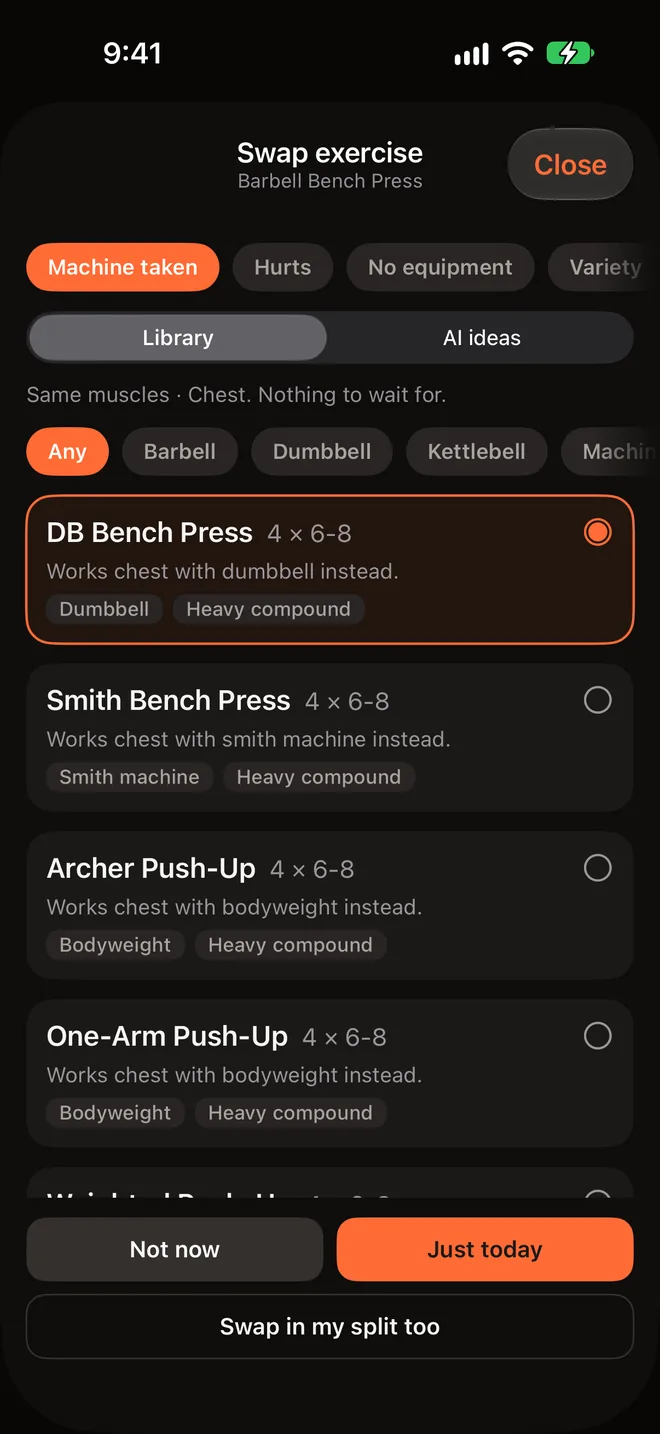
Machine taken? Swap it out on the spot. Say why and AI suggests three alternatives for the same muscles, with more on request.
An exercise with no form note gets one written the first time you tap Form.
Type a name and AI fills in the muscles, equipment and a form note.
During setup, paste a program from a coach or a forum and it becomes your split.
Setup builds your split, daily targets and quick add list from a few answers.
A plan that changes with you
Your training and your goals don’t stay still, so neither does your plan. Ask in plain words and the AI drafts the change. Nothing changes until you tap Apply, and you can undo it.
Swap exercise
Tap Swap exercise mid-workout, say why, and get swaps that work the same muscles, from the library or from your AI. Your plan stays intact.
Lifting
Open the Lift tab and today’s day is ready, with the weight and reps already filled in. Keep the weight until every set hits the top of the range, then go up. The app does the arithmetic.


Every set sits beside the same set from last time. Beat it and a green arrow appears. Adjust with the steppers and tap Log set.
Rest starts the moment you log. Between exercises you see what’s next, the weight to start at and the reps to aim for. The Live Activity puts Log set, +15s and Skip on your Lock Screen, one tap each.
Filter by muscle, by the equipment you have, or by type. Set a rest time per exercise, or use the default for its type.
Start from one of six templates or build your own. Every change is saved in version history, and renaming an exercise carries its past sets, records and Last time with it.
Tips cover new records, stalls, comebacks, recovery and progression. Climb hard or go for a run, and your next lift tip takes it into account.
Each with form notes and the muscles it works.
See the countdown and what’s next without opening the app, with Log set, +15s and Skip one tap away.
2:30 for heavy presses, 1:15 for flyes. Set it once per exercise and it’s used every time.
Food
Home shows what’s left today in orange for calories and violet for protein, against a target range instead of one rigid number. Switch on Rest day and today’s calorie range drops, by 150 cal unless you change it.
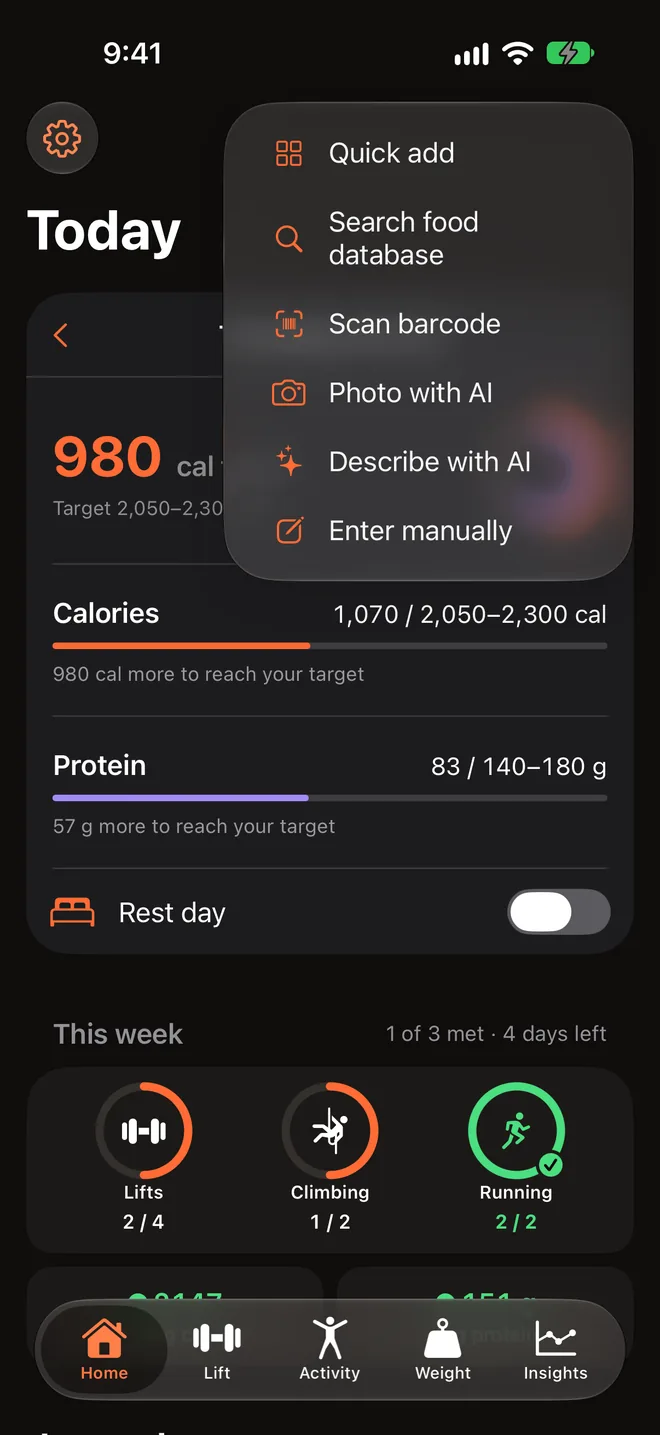
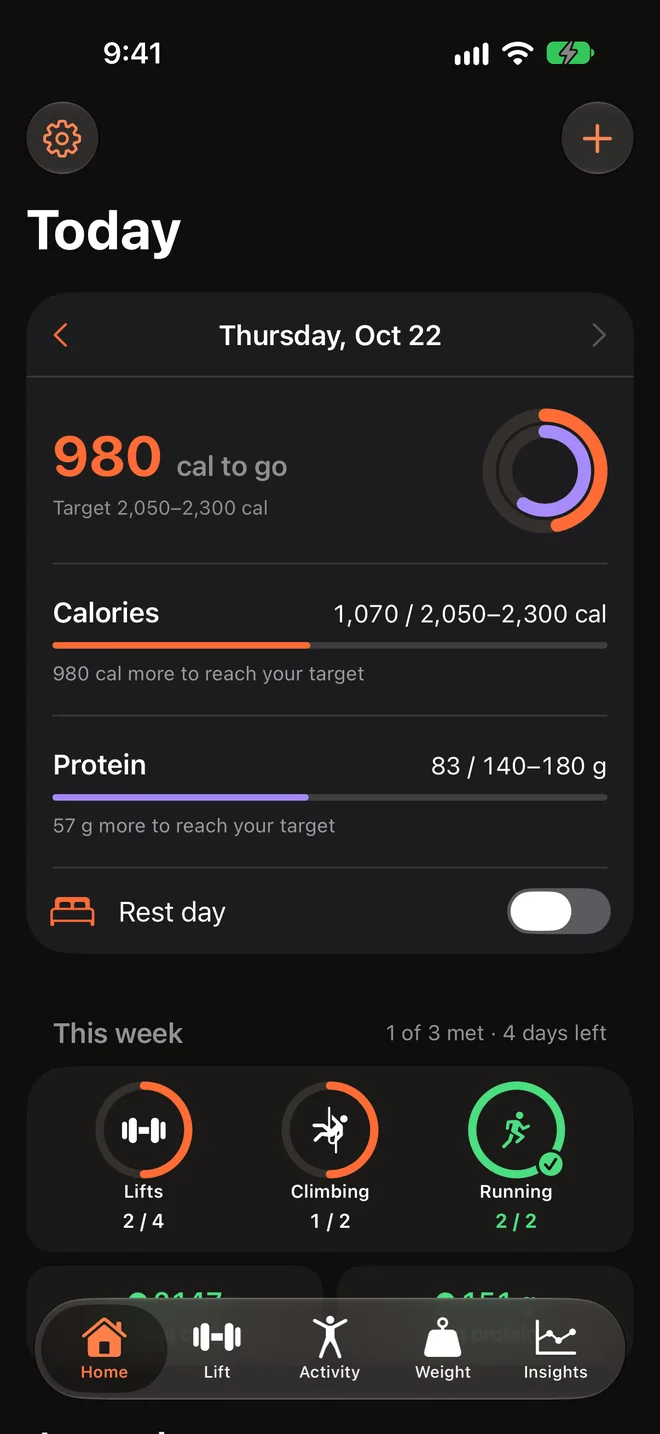
The pacing tip shows on today only, from noon, once you’ve logged something.
Activity
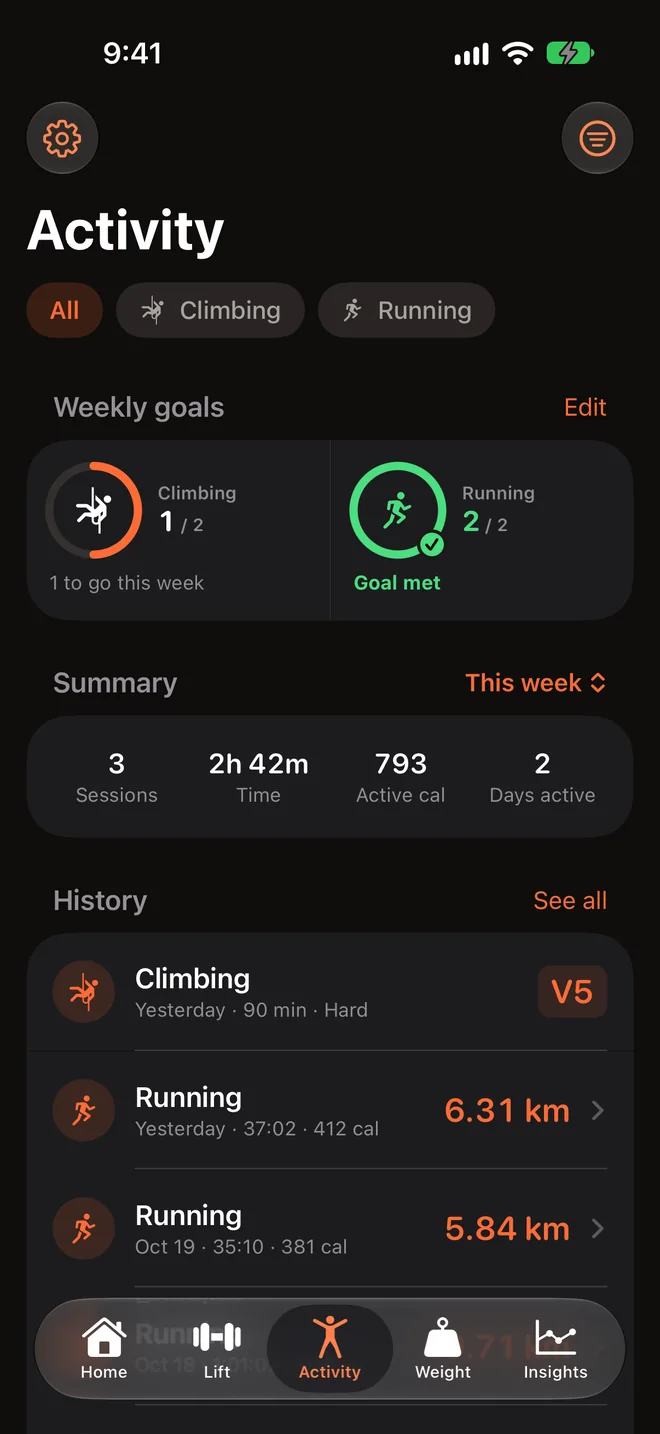
Give each sport a weekly goal as sessions, time or, for distance sports, distance, and watch the rings fill on Home, Activity and Insights. Workouts from Apple Watch, Strava, Garmin and other apps that save to Apple Health show up in Activity.
 Climbing
 Running
 Biking
 Walking
 Hiking
 Swimming
 Yoga
Yoga Pilates
 Stretching
 HIIT
HIIT Dance
Dance Boxing
 Rowing
 Elliptical
 Stairs
 Tennis
 Pickleball
 Basketball
 Soccer
 Golf
Golf Skiing
 Paddling
 Skating
 Martial arts
 American football
 Rugby
Rugby Cricket
Insights
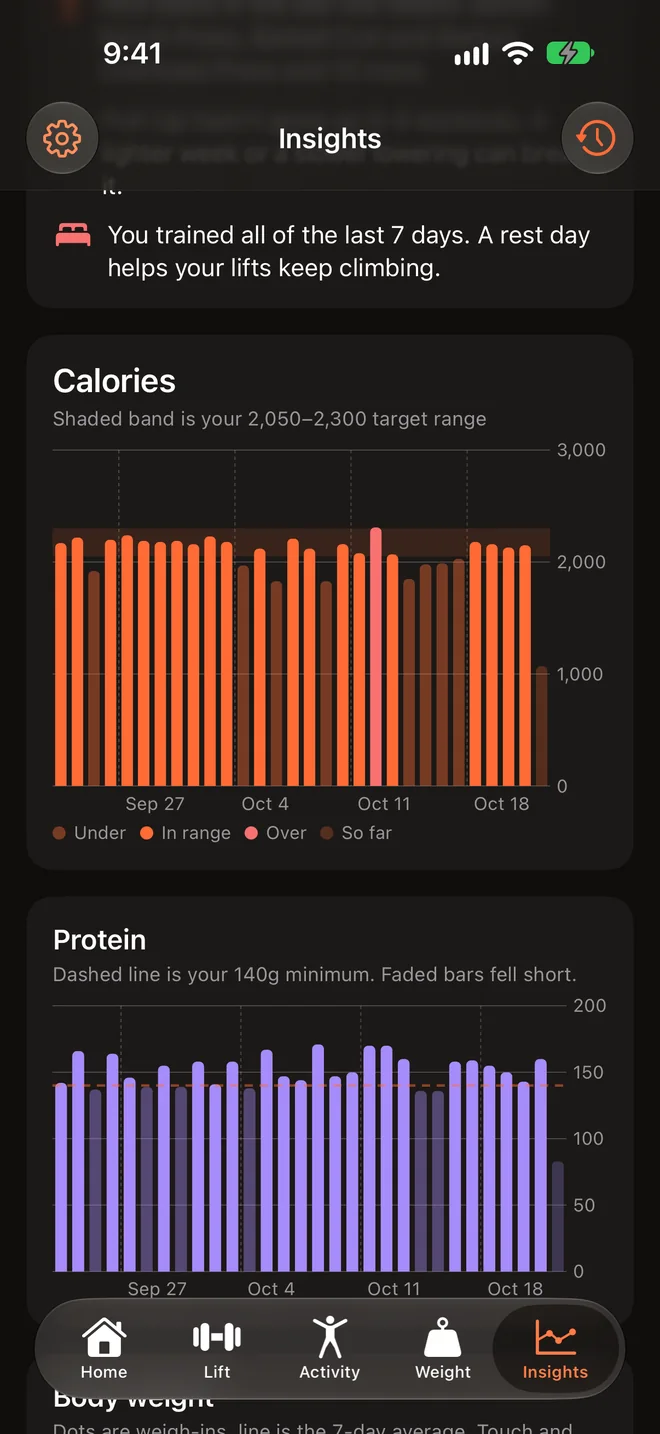
Calories against your target band, protein against your minimum, body weight with a 7-day average, training per week and strength progress. It even estimates your maintenance calories from what you eat and how your weight moves.
Privacy
Your log is stored on your iPhone and synced through your own iCloud account. It only leaves your phone when you use AI or look up a food.
Food, climbs, workouts you record in Plated and weigh-ins you type in sync through your private iCloud account, and weekly backups land in your iCloud Drive.
API keys live in this iPhone’s Keychain. They don’t sync, aren’t in backups, and go only to the provider they belong to.
Workouts and weight are read from Apple Health only with your permission, and never used for advertising.
There’s no account to make. Crash reports help fix bugs and never include your health data.
Not to start. Setup’s AI is free. After that, Gemini has a free tier with a Google account, Claude uses your own Anthropic API key (billed by Anthropic), and ChatGPT uses your Plus or Pro plan. With nothing connected, you can turn on a few free requests a day for describing a meal and asking about your numbers.
You choose the provider, you see the bill, and your requests go straight from your iPhone to that provider. You’re not paying a second AI subscription inside another app.
Yes. Logging sets, food search, barcodes, goals and Insights all work without it. You can skip AI during setup and fill things in yourself.
Only what a request needs: for example your setup answers, a meal you describe or photograph, a summary of the numbers your question is about, or your split or an exercise name for workout features.
On your iPhone and in your private iCloud account. What Plated reads from Apple Health stays on that iPhone. If you use Plated’s built-in AI, its server keeps only an anonymous ID for your install and usage counters. You can also export a backup file any time from Settings › Backup and restore.
Each exercise has form notes behind the Form button. Tips are about progress: records, stalls, comebacks and recovery.
Yes. Settings › Show in the app › Tabs turns tabs off. Insights always stays.
Plated is coming to iPhone. Bring Gemini, Claude or ChatGPT.
Coming soon to theApp StoreWe read every message and usually reply within two business days.
Include your iPhone model, iOS version and the app version. A screenshot helps.
Plated is licensed to you under Apple's standard Licensed Application End User License Agreement (https://www.apple.com/legal/internet-services/itunes/dev/stdeula/). In addition:
Change it in Settings, or ask Ask AI on Insights to propose new targets and tap Apply change.
In the app, use Settings › Advanced › Erase everything. It deletes your logs on this iPhone and, with iCloud on, on your other devices, the backups in iCloud Drive › Plated › Backups, and your install’s anonymous ID and usage counters on Plated’s server. When it’s done, Plated tells you, including if anything couldn’t be deleted. See the privacy policy for details.
With no AI account connected, you can turn on Plated’s free AI after setup. It gives you a few requests a day for describing a food and asking Insights questions. The app shows how many are left today. Photos need your own AI, and Gemini has a free tier with a Google account.